
Someone will eventually tell you that you need a Shopify store. A proper e-commerce setup with product pages, checkout flows, inventory management, shipping integration, and an abandoned cart email sequence.
For a small number of SA businesses, that's true. For the majority, it's massive overkill that costs time and money you don't have, to build infrastructure you don't actually need.
What most South African small businesses need is simpler: a place to show what they have, with a clear way for customers to enquire or order. That's a catalogue, not an online store. And there's a meaningful difference.
What a Catalogue Actually Is
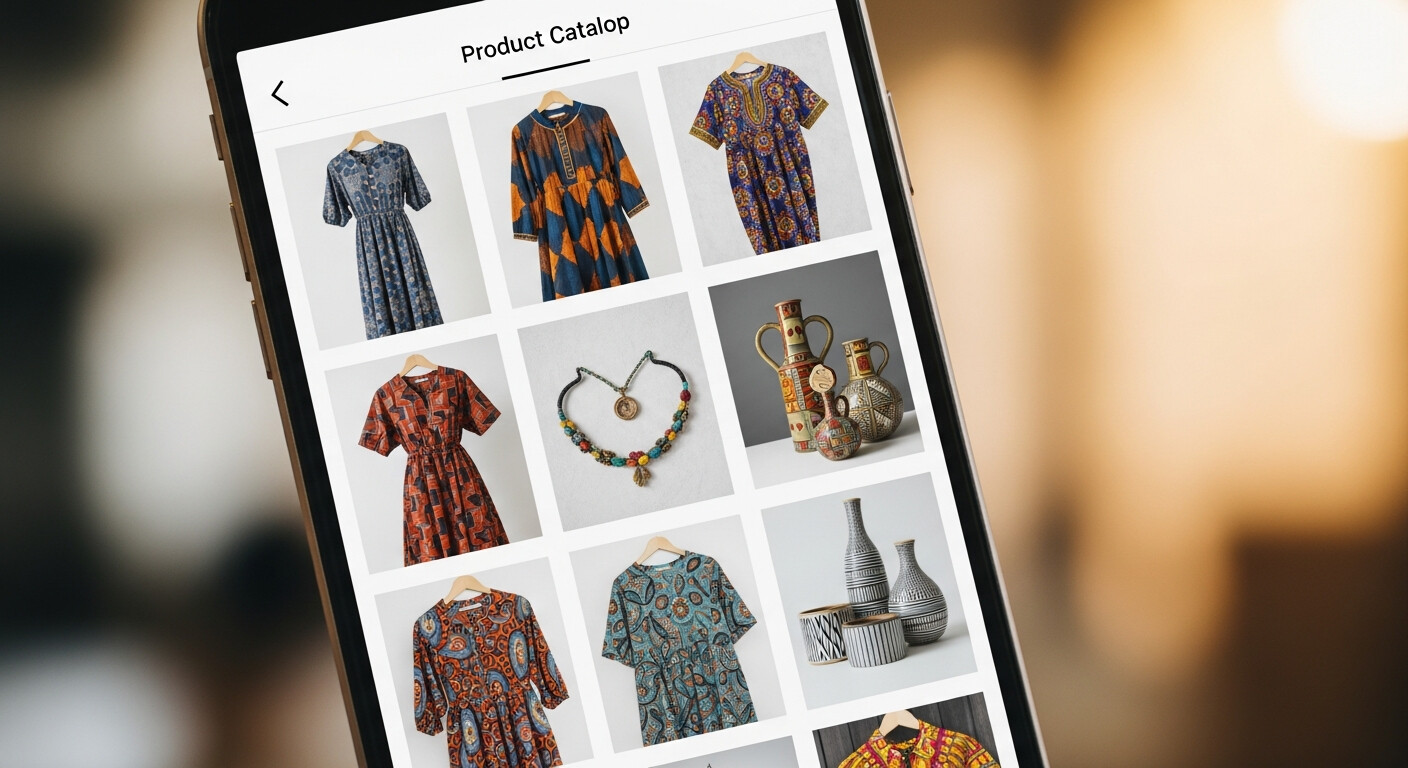
A LinkDeck catalogue is a browsable product listing built into your profile page. Each product has:
- A name and description
- A price
- A thumbnail image (or multiple images)
- A category
- A visibility toggle (so you can hide seasonal items or out-of-stock products)
Customers visit your page, browse the catalogue, filter by category if they want to narrow things down, and then take action — either enquiring on individual products via WhatsApp, adding items to a cart and sending a complete order, or purchasing a digital product via online checkout.
No accounts required. No delivery address forms. No customer registration. Just products, browsing, and a clear path to contact you.
The Admin Features That Matter
Setting up the catalogue is straightforward. Keeping it updated — especially if you have a lot of products — is where the admin tools matter.
Bulk editing lets you switch to a table view of all your products and make inline edits: change a price, update a description, toggle visibility, change a category. No opening and closing individual product records. For a boutique with 40+ items, this alone saves an hour a week.
Drag-to-reorder lets you arrange products and categories exactly as you want them to appear to customers. Your bestsellers at the top. Seasonal items given temporary prominence. New arrivals flagged with a position change.
Product overlays let you apply a branded PNG graphic to product images in bulk. This is especially useful for print shops, DTF printers, and branded merchandise sellers who want to add a watermark, a "new arrival" badge, or a sale callout across multiple product images without editing each one manually.
Per-product WhatsApp enquiry. Each product can have its own WhatsApp enquiry button — pre-filled with the product name so customers don't have to describe what they're asking about.
Three Businesses, Three Use Cases
A Johannesburg fashion boutique with 40 items across 6 categories. Customers browse on their phones, add items to the WhatsApp Cart Builder, and send structured orders. The owner fulfils via WhatsApp and EFT. She has no payment gateway, no shipping integration, no e-commerce overhead. Monthly revenue from the catalogue: consistent and growing.
A Cape Town digital print shop lists 12 print products with format options and file specification notes in each description. Customers enquire on the specific product they want, already knowing the specs, so the quote conversation is shorter. The shop handles the payment via invoice. The catalogue does the qualification work so the owner doesn't have to.
A Durban cooking teacher sells three recipe PDFs through her catalogue at R89 each. Customers pay online, receive a download link immediately, and never need to contact her. It's passive income that runs itself. She created the PDFs over a weekend. They've now paid for themselves dozens of times over.
What It Doesn't Do
The catalogue doesn't manage inventory levels. It doesn't send automated order confirmations. It doesn't calculate shipping costs. It doesn't generate invoices.
If you need all of that, you need an e-commerce platform with a proper back-end. But if you're fulfilling orders through WhatsApp and bank transfers, as most SA small businesses do, none of that overhead is necessary. The catalogue handles the discovery and the ordering conversation. You handle the rest.
This is by design. The businesses that benefit most from this model are the ones where customer relationships matter — where the WhatsApp conversation is part of the service, not an obstacle to automate away.
Getting It Live
Adding your first product takes about two minutes. Name, price, image, category. That's all that's required to start. You can always enrich the listing later with more detail, more images, and better descriptions.
For businesses managing larger catalogues — lots of SKUs, frequent updates, multiple categories — the most efficient editing experience is through LinkDeck Studio on desktop, where the bulk edit table and drag-to-reorder tools are easiest to use.
You don't need an online store. You need customers to see what you have. Start there.