
If you run a small business in South Africa, there's a good chance your sales already happen on WhatsApp. A customer sees your Instagram post, sends a message, you go back and forth about pricing, they eventually say yes, you send your account details. That's how it works for millions of SA businesses.
The problem is the ordering part. Most customers screenshot your products and message you item by item: "Do you have the blue one? What about the size 8? How much for two?" You tally it up manually. They change their mind. You start again. It's exhausting — and it breaks down at scale.
The WhatsApp Cart Builder changes that. Instead of a back-and-forth negotiation, customers get a structured shopping experience that ends with a single, complete order landing in your WhatsApp chat.
How It Actually Works
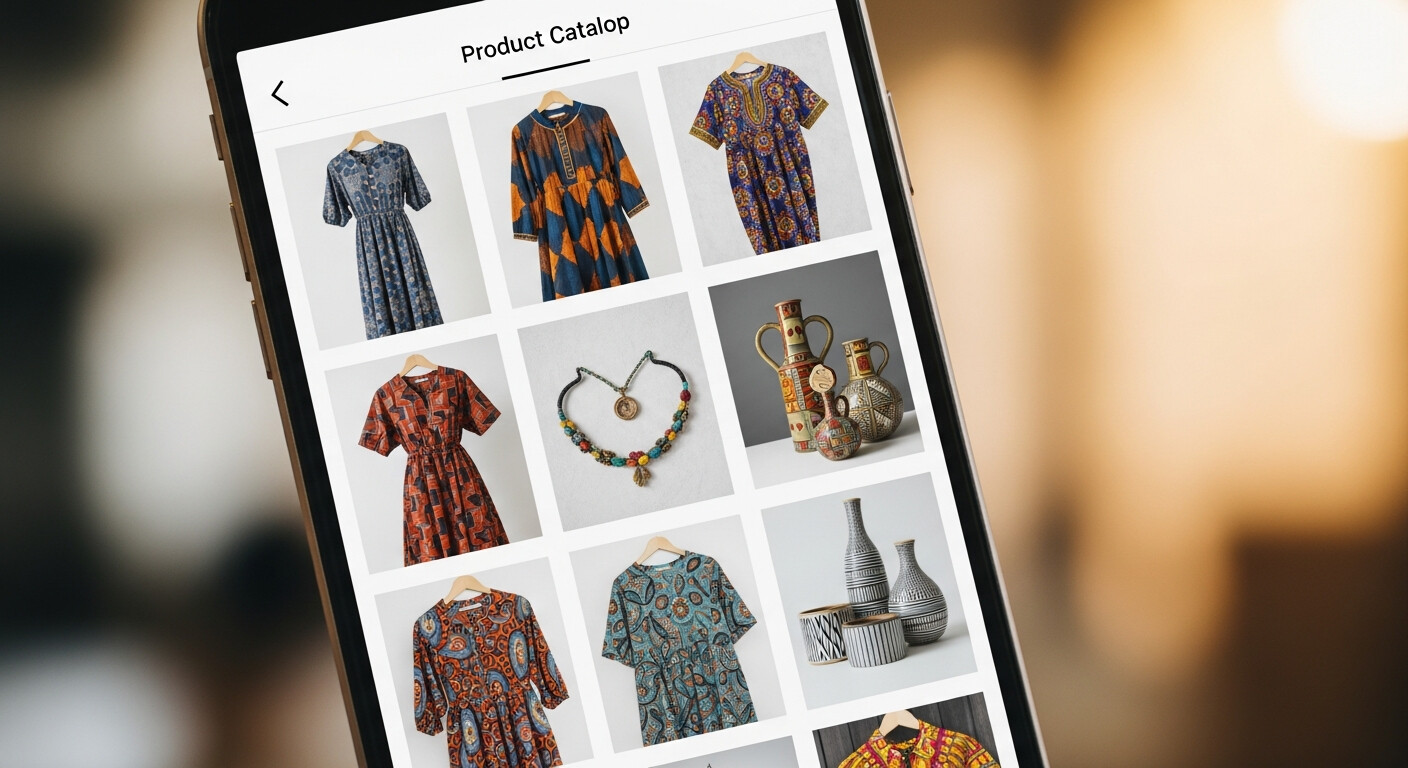
Your LinkDeck catalogue is a browsable product listing — images, descriptions, prices, categories. The WhatsApp Cart Builder adds a layer on top of it: a persistent cart panel fixed to the bottom of the screen on mobile.
Customers browse your products, tap the + button next to anything they want, and adjust the quantity with the − and + controls. The cart panel updates in real time, showing the running total and item count. When they're ready, they tap "Send Order on WhatsApp."
What lands in your chat isn't a vague message. It's a fully structured order summary: every item, every quantity, every price, and the total. You can read it, confirm it, and send a payment request — all without asking a single follow-up question.
What Makes This Different From a Normal Checkout
Online stores built on Shopify or WooCommerce require customers to create an account, enter a delivery address, and add card details. For most South African small businesses, this creates friction that kills the sale.
The WhatsApp Cart Builder skips all of that. No account. No card details. No delivery form. Just a tap that opens WhatsApp with the order pre-filled. The payment and logistics conversation happens naturally from there — the same way your customers already expect to deal with you.
This isn't a compromise. For businesses that fulfil via WhatsApp — clothing boutiques, food sellers, craft suppliers, print shops — it's a better model than full e-commerce.
A Real Example
A clothing boutique in Johannesburg sells about 40 styles. Before the cart builder, every sale started with a customer sliding into DMs, asking about sizes and availability, getting confused by the back-and-forth.
With the catalogue and cart builder set up, the flow became: customer sees a WhatsApp status post → taps the profile link → browses the catalogue on their phone → adds a dress and a belt → taps "Send Order on WhatsApp." The owner gets one clear message: 2 items, sizes confirmed, total R680. She replies with her payment details. Done.
Four steps. No confusion. No abandoned carts.
The Specifics Worth Knowing
A few details that matter in practice:
No login required. Customers don't make accounts. There's nothing to forget and no barrier between them and the order.
Fixed mobile cart panel. The cart is always visible at the bottom of the screen — customers never lose track of what they've added, even while scrolling through a long catalogue.
Order summary before sending. Before the WhatsApp message is generated, customers see a full summary of their order. They can remove items or adjust quantities. Only then do they hit send.
Structured message format. The pre-filled WhatsApp message is clean and easy to read on your end. Item names, quantities, and prices are listed clearly. No deciphering.
Which Businesses Benefit Most
The cart builder works for any catalogue-based business, but it delivers the biggest gains where order complexity is highest. Clothing boutiques with multiple sizes and colours. Bakeries with custom order options. Craft suppliers where customers often buy several items in a single purchase. For these businesses, the difference between a structured order and a freeform WhatsApp conversation isn't just about convenience — it's about accuracy. Fewer wrong sizes. Fewer misunderstood quantities. Fewer awkward corrections after payment.
For service businesses where customers choose from fixed packages, the cart is equally useful. A photography studio offering three shoot packages can let customers browse, select, and enquire in one structured message — no back-and-forth required.
Getting Started
If you already have a LinkDeck catalogue, the cart builder activates when you enable it in your catalogue settings. If you're building your catalogue from scratch, the process is: add your products, set prices, add images, enable the cart.
For businesses managing a larger catalogue — lots of products, multiple categories, regular updates — the fastest way to keep everything organised is through LinkDeck Studio, the desktop app that gives you bulk editing and a full catalogue management view.
Set it up once, and every customer who finds you on Instagram, WhatsApp, or Google gets the same clean, frictionless ordering experience.